Coming in For a Landing
To land, fly close to a landing pad. They have flashing yellow runway type arrows on them. Once you are close enough, you will get a message that says, "Cleared To Land". At this point, hit Enter or Button 3 on your joystick. You may need to slow down a bit to get the landing message. The main thing is to be close and even with the platform.
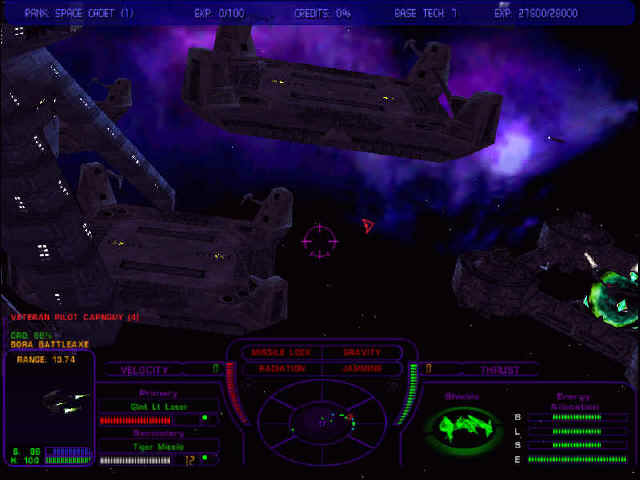
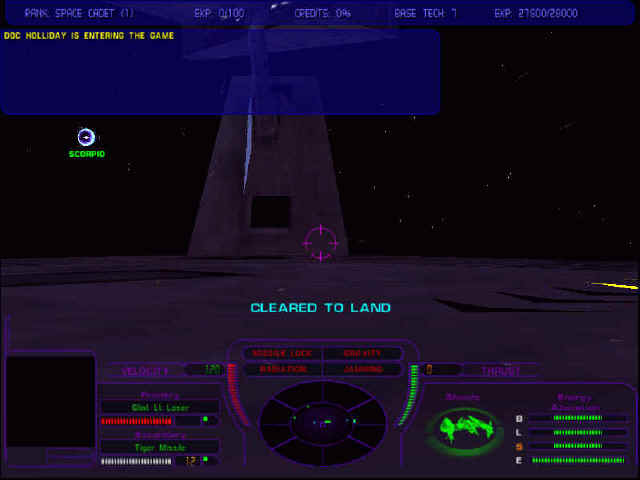
When you are landed, your weapons, afterburners, and shields will regenerate at a greatly accelerated rate. Your armor will also slowly be repaired, and your ammo and rockets will instantly reloaded, even though the change won't register until you take off. Generally you will want to wait until your power levels are at full before lifting of. To lift off the pad, just hit the Esc key.
Equipment
Naturally, larger ships can carry more weapons. More slots will be available for things, and at higher tech levels the more powerful ships will be able to equip items that the smaller Pegasus and Mace can't.
Cards
Both sides share most, but not all equipment.
- Combat Scanner - lets you see the hull and shields of the target
- Lead Target Assistant - target appears that helps you know where to shoot
- Smart Shields - auto balances your shields between front and back
- Radiation Screen - I don't think this does anything in the demo board, no radiation
- Boosters - Increases your speed, a must have
- Lateral Thruster - Lets you strafe left and right with 'S' and 'D'
- Shield Reserves - Increases maximum shield power
- Advanced Radar - Helps versus jamming and weather conditions not in the demo
- Fog Radar - Useless in demo, there is no fog
- Aimpoint Module - Helps concentrate your fire, I think this is a minor auto-aim
- Ammo Hold - Increases your ammo capacity, not a big difference for torpedoes
- Laser Reserves - Increases maximum laser energy
- Afterburners - Duh, this is a given
- Afterburner Reserves - Increases maximum afterburner energy, a must have
Galspan Weapons
Galspan has lock-on weapons, while Bora has only dumb-fires. Both have Light, Medium, and Heavy lasers, which are fairly similar for each side.
- Glint Light Laser - Fast rate of fire, low damage
- Flare Medium Laser - Balance of fire rate and damage
- Deimos Heavy Laser - Slow firing, heavy shield damage, moderate hull
- Chatter Cannon - Extremely fast, low shield damage, good hull damage
- Tiger Missile - Fast, lock-on missiles
- Disruptor Torpedo
- Hunter Torpedo
- Sunspot Missile - Slightly slower than Tiger, more damage
- Blast Torpedo - Good anti-Credit Plant weapon
- Swarm Missile - High volley, excellent anti-fighter weapon
- Advanced Blast Torpedo
- Helios Rocket - Only thing capable of taking out Life Support
Other Galspan upgrades include:
- Tracking Enhancements - Probably improves missiles locks
- Tractor Wave - Slows down enemy ship, must be within 2 clicks
- Burn Out Device - Removes any Bora Sappers attached to ship
Bora Weapons
Since Bora can't lock-on, rockets are best used at close range. Any hits scored will be quite devastating. Bora also uses sappers, which decrease the enemy's effectiveness in battle. However, they are hard to aim, so I feel that if I'm going to score a hit, I would rather do it with a rocket.
- Arc Light Laser - Fast rate of fire, low damage
- Boran Medium Laser - Balance of fire rate and damage
- Heavy Mining Laser - Slow firing, heavy damage
- Pulsar Laser - Extreme rate of fire, decent damage
- Railgun - Excessive damage, but difficult to aim
- Inertia Sapper - Probably slows opponent's ship
- Power Sapper - Probably depletes enemy's weapon
- Phase Sapper - ?
- Remote Sapper - After firing, hold the trigger for 2 seconds, release to detonate
- Corona Device - Explosion around your ship, damages nearby objects
- Spire Rocket - Fast and decent damage
- Plasma Rocket - Fast and heavy damage, but carry fewer than spire
- Helios Rocket - Only thing capable of taking out Life Support
Other Bora upgrades include:
- Lock-on Warning - Indicator tells you when a missile lock is on you
- Lock-on Defense - Equips you with countermeasures, hit 'C' to drop
- EW Jammer - Not sure, probably has to do with making missile locks more difficult
Conclusion
Tada! You now know pretty much everything you need in order to successfully play the Tachyon Base Wars demo.
Still, in the following sections I'll go over basic skills and techniques that I use to gain the advantage. Dogfighting and teamwork are essential to blowing up the opponent's base before they blow up yours.